How To Save Shared Charts In ThinkOrSwim

useThinkScript

Administrative
Staff member
Staff
VIP
Lifetime
How To Save Shared Charts​

open the shared link: MUST follow these instructions for loading shared links.​
you must now save the chart settings:​
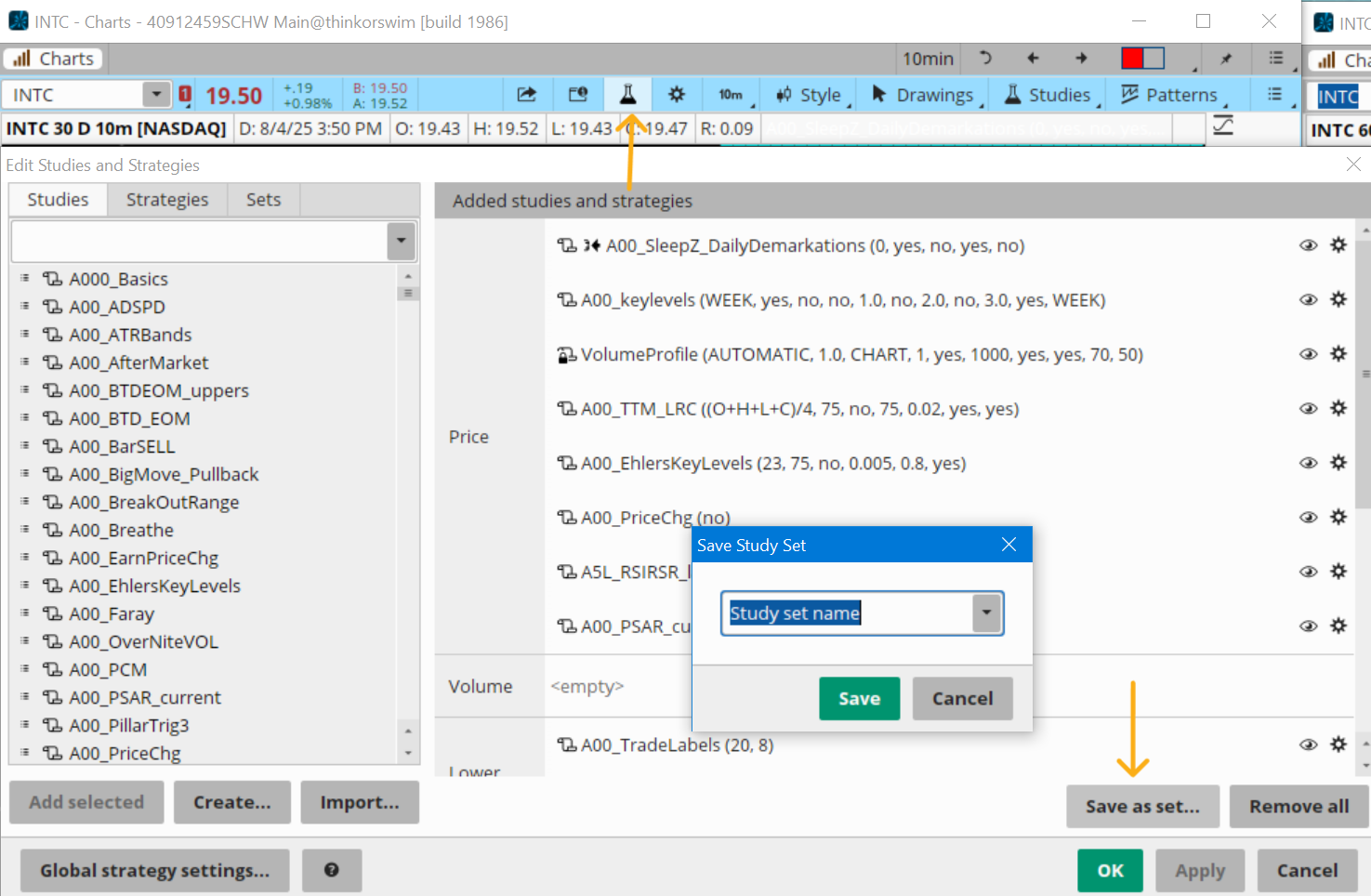
1. click on the beaker at the top of the page​
2. click on Save as set​
3. give the save settings a name:​
7VzBt8x.png


Now close the shared chart.
1. go into your chart or detach a chart
2. click on the beaker at the top of the page
3. click on Sets (to the right of studies and strategies
4. click on the name that you gave your imported chart
5. click on Use set
6. Now the shared chart is saved in your app
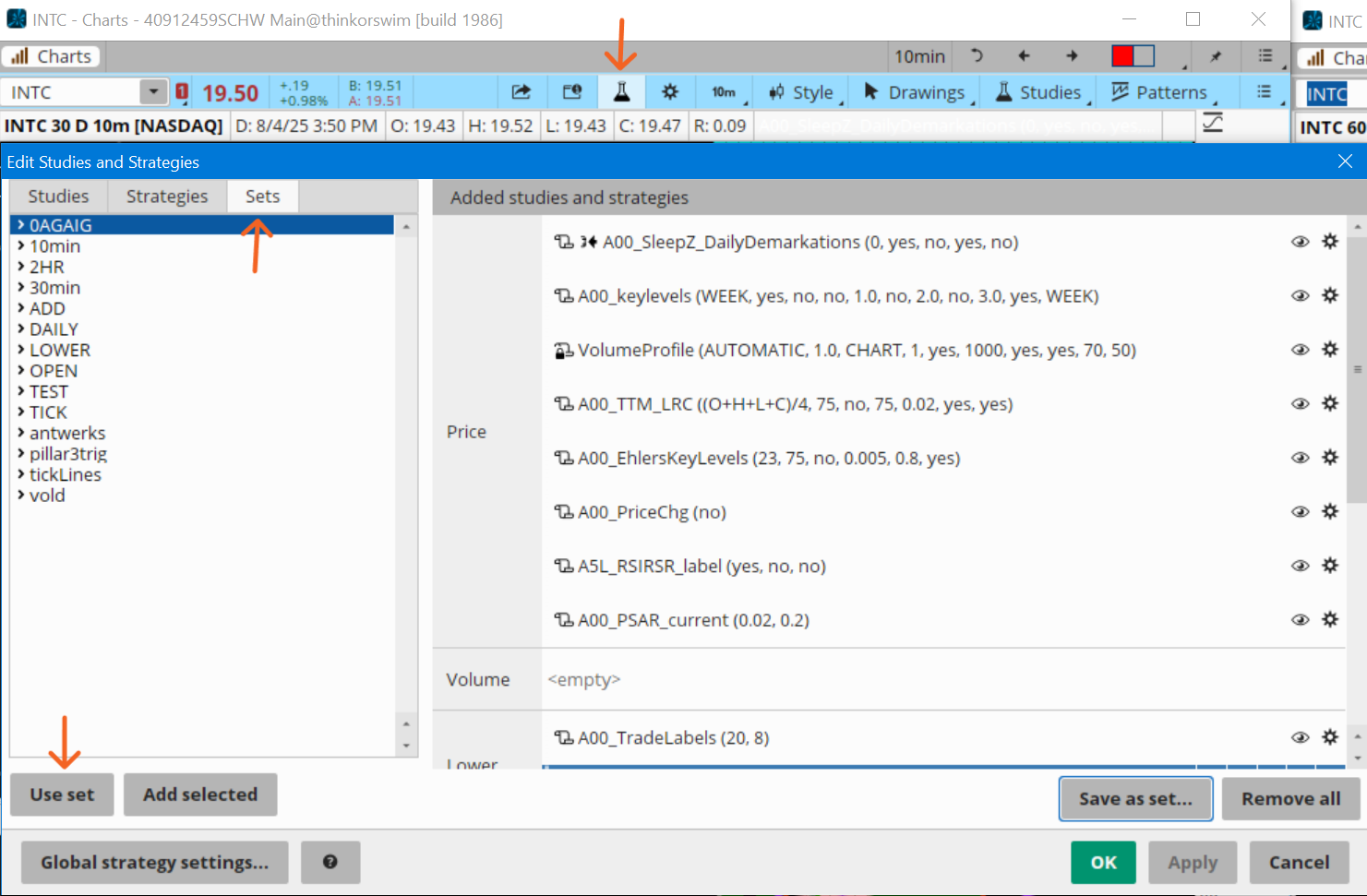
hIpDq4U.png


VIPers, do you frequently load shared charts? You could be slowing down your app!
read more here: https://usethinkscript.com/threads/how-to-use-shared-chart-links.20899/
 
Last edited by a moderator:
I don't like to be so bothersome. I know how to import code into think our swim. I am getting the picture you are showing. I did the copy and paste. It will only paste the chart into TOS. I can't figure out away to see the code so I can copy it into think or swim.
 
I don't like to be so bothersome. I know how to import code into think our swim. I am getting the picture you are showing. I did the copy and paste. It will only paste the chart into TOS. I can't figure out away to see the code so I can copy it into think or swim.

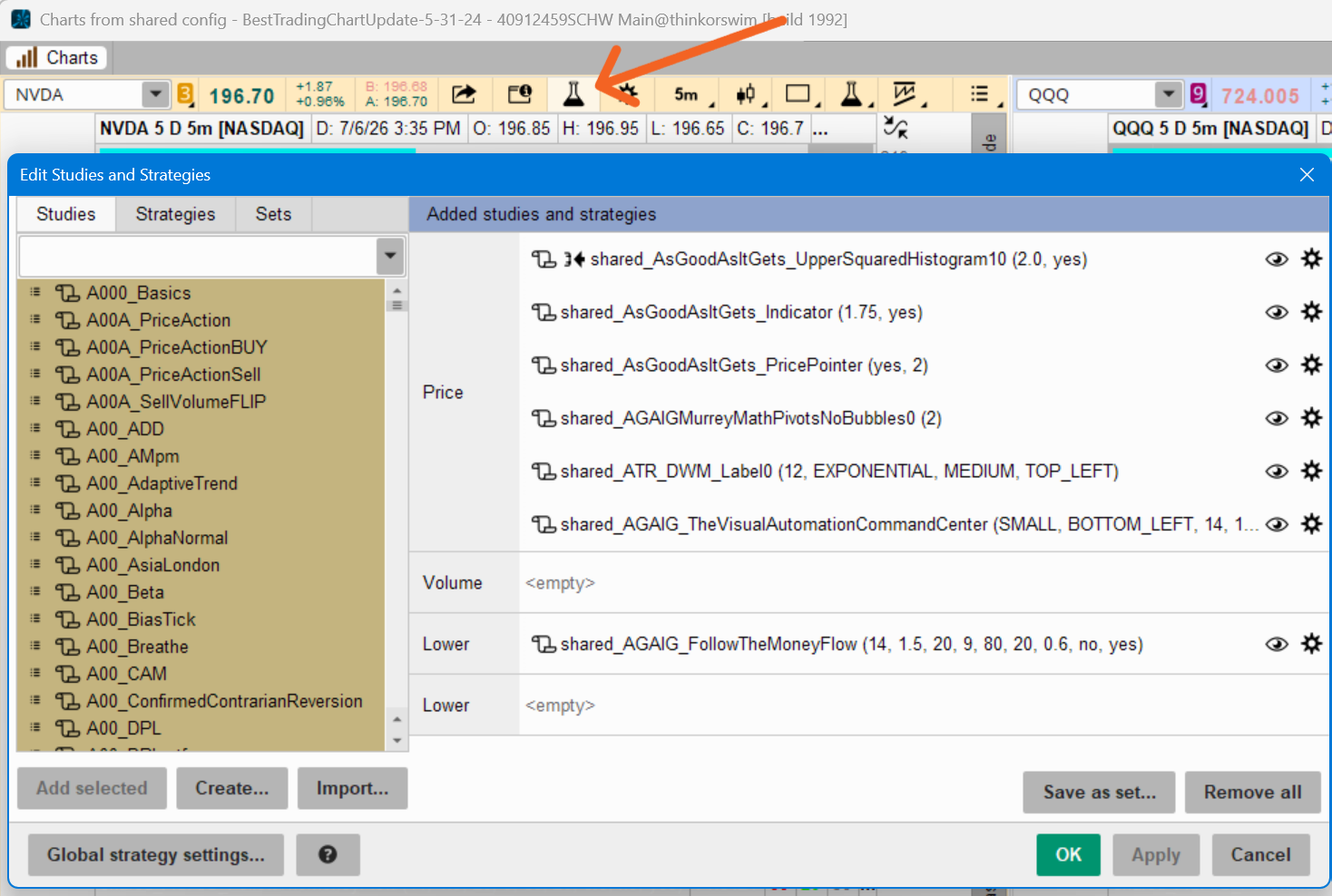
To see the many scripts that make up this strategy, click on the left-most flask at the top of the shared chart
rGXINAY.png
 
I don't like to be so bothersome. I know how to import code into think our swim. I am getting the picture you are showing. I did the copy and paste. It will only paste the chart into TOS. I can't figure out away to see the code so I can copy it into think or swim.

If your question is:
How do I get the studies that are in the shared chart into ThinkOrSwim?

Good news, when you import a shared chart; all those indicators are add to your study tab.
Just go to your study tab and select the ones you want. You can find them by typing "share" in the lookup box.

But you never want to continue to import that chart again and again. Because each time; it adds duplicates of those studies!
The bad news. The more custom studies in your study tab; the slower ThinkOrSwim runs.

Therefore when importing shared charts, always do this:
https://usethinkscript.com/threads/how-to-save-shared-charts-in-thinkorswim.21369/

If you have a thousand custom scripts, you need to read this:
https://usethinkscript.com/threads/too-many-custom-studies-slows-down-thinkorswim.18577/
 

Join useThinkScript to post your question to a community of 21,000+ developers and traders.

Similar threads

Not the exact question you're looking for?

Start a new thread and receive assistance from our community.

87k+ Posts
1975 Online
Create Post

Similar threads

Similar threads

The Market Trading Game Changer

Join 2,500+ subscribers inside the useThinkScript VIP Membership Club
  • Exclusive indicators
  • Proven strategies & setups
  • Private Discord community
  • ‘Buy The Dip’ signal alerts
  • Exclusive members-only content
  • Add-ons and resources
  • 1 full year of unlimited support

Frequently Asked Questions

What is useThinkScript?

useThinkScript is the #1 community of stock market investors using indicators and other tools to power their trading strategies. Traders of all skill levels use our forums to learn about scripting and indicators, help each other, and discover new ways to gain an edge in the markets.

How do I get started?

We get it. Our forum can be intimidating, if not overwhelming. With thousands of topics, tens of thousands of posts, our community has created an incredibly deep knowledge base for stock traders. No one can ever exhaust every resource provided on our site.

If you are new, or just looking for guidance, here are some helpful links to get you started.

What are the benefits of VIP Membership?
VIP members get exclusive access to these proven and tested premium indicators: Buy the Dip, Advanced Market Moves 2.0, Take Profit, and Volatility Trading Range. In addition, VIP members get access to over 50 VIP-only custom indicators, add-ons, and strategies, private VIP-only forums, private Discord channel to discuss trades and strategies in real-time, customer support, trade alerts, and much more. Learn all about VIP membership here.
How can I access the premium indicators?
To access the premium indicators, which are plug and play ready, sign up for VIP membership here.
Back
Top