

HOW I USE MY STOP and REVERSE INDICATOR
This is now one of my favorite trading indicators
https://usethinkscript.com/threads/agaig-stop-and-reverse-indicator-for-thinkorswim.22476/
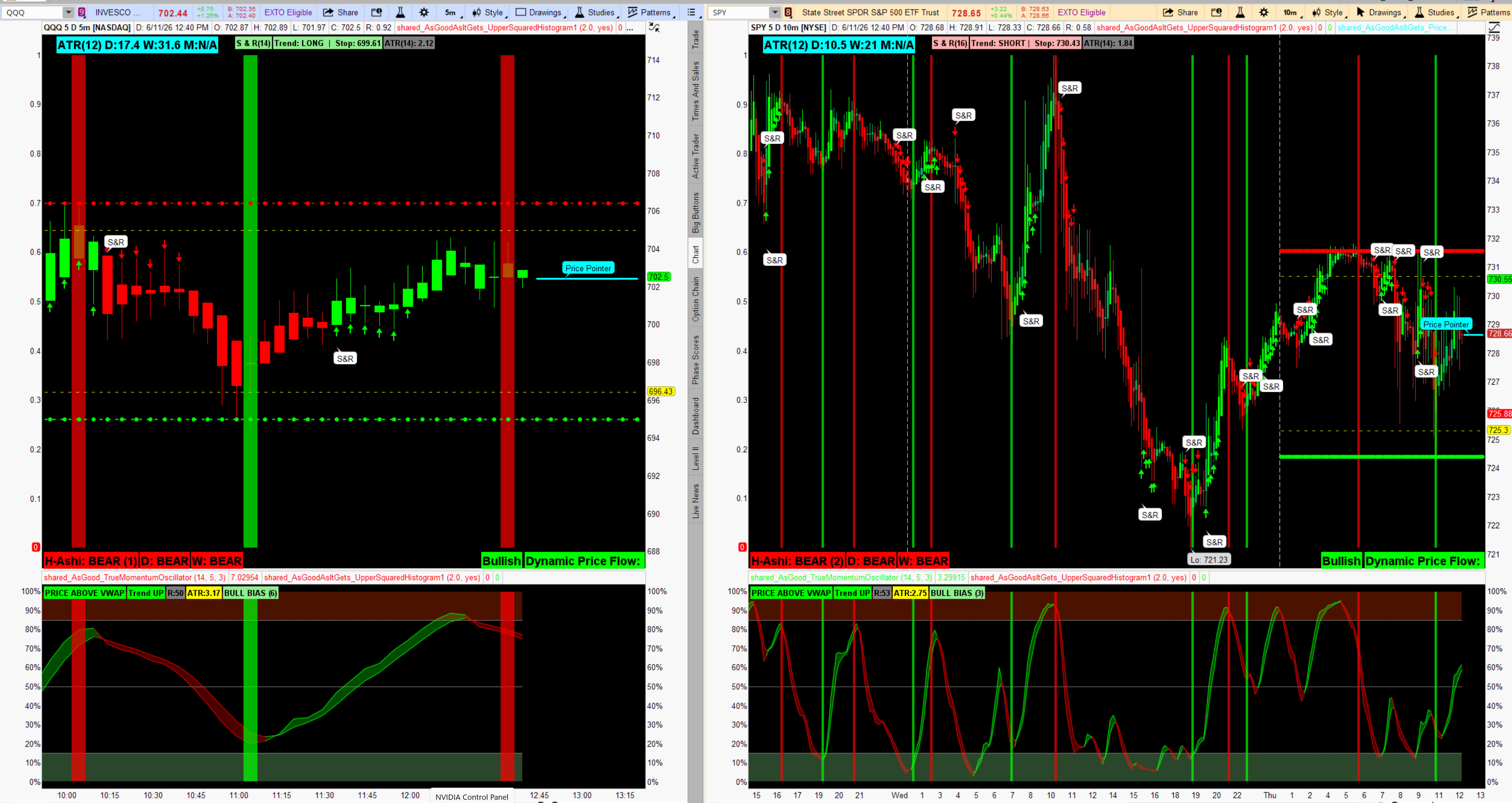
It generally indicates market direction and displays a level (Bubble) that can be used to enter/exit trades. Once a trade is stopped one can place a trade in the opposite direction.
I like using this on the following dual chart where I leave my Vertical Squared Histogram (repaints) in place. The S & R can help, or deny, the re-painter.
My dual chart link: http://tos.mx/!buLv7ZOA
Stop and Reverse — Usage Guide
It is A stop-and-reverse (SAR) indicator built on ATR-based trailing stops. It identifies trend direction, marks direction changes, and gives visual cues about trend maturity — all optimized for Heikin Ashi charts.
Reading the Signals
S&R Bubble — the most important signal. A white bubble labeled S&R appears the exact bar a trend flips. This is your entry trigger — either taking a new position in the new direction or tightening stops on an existing one.
Green/Red Arrows (candles 1–6) — confirm you are early in a new trend. These are your highest-probability entry bars. If you miss the bubble, the arrows tell you the window is still open.
No Arrows (candles 7+) — the arrows intentionally disappear after 6 candles. Absence of arrows is itself a signal — the easy money may be gone. Avoid chasing new entries here.
Label Color Shift (candle 10+) — when the S&R
 label fades from bright green/red to light green/pink, the trend is considered extended. This is not a reversal signal — it's a caution flag. Consider:
- Tightening trailing stops
- Taking partial profits
- Waiting for the next S&R bubble rather than adding
The Stop value in the label bar is your live trailing stop. In an uptrend it only moves up, never down. A close below it triggers the next S&R flip. Use it to:
- Set hard stop orders
- Trail stops manually on winning trades
- Define risk before entry (distance from current price to stop = risk per share)
Timeframe Suggestions Works on any timeframe but performs best when used with two charts simultaneously: (I use single chart for scalping)
- Anchor chart (higher TF — 15m, 1hr, daily) — use the label color to determine overall bias. Only trade long if anchor is green, short if red.
- Entry chart (lower TF — 1m, 5m) — wait for S&R bubble + first 1–6 arrow candles to time entries in the anchor direction.
Settings to Tune
Input | Default | Effect |
| sensitivity | 0.8 | Lower = more flips, higher = smoother |
| atrMultiplier | 2.0 | Wider stops = fewer false flips |
| arrowCutoff | 6 | How many candles arrows stay visible |
| extendedThreshold | 10 | When label shifts to lighter color |
Happy trading!
Last edited by a moderator:
