Identify Bar At Specific Time

greyfox

New member
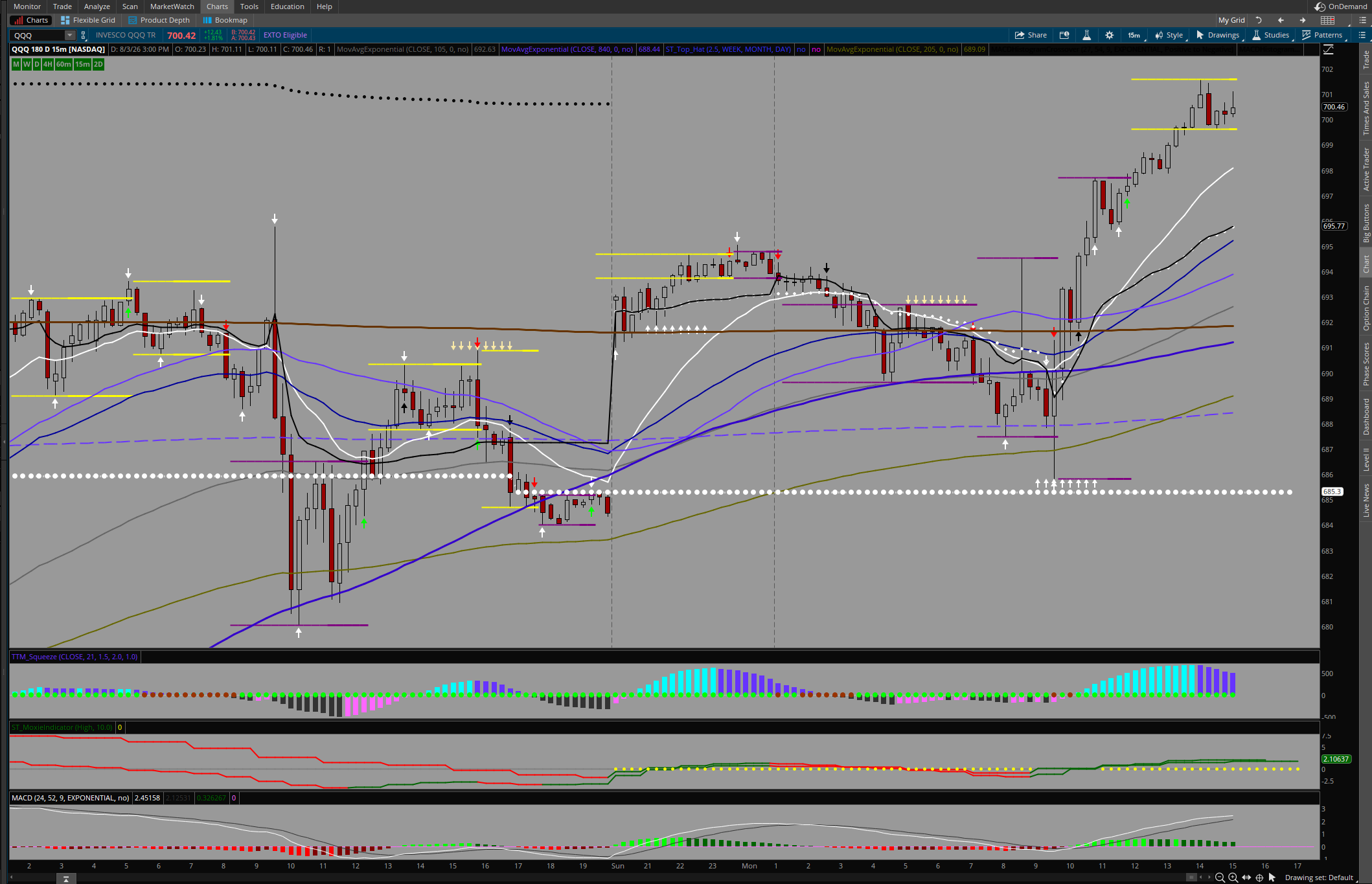
I want to code an indicator in ThinkScript for use on TOS charts. I want to get the close of (whatever the bar name is) at 5PM. It seems the candles on TOS are called by the open and use an aggregate time to set the close. The problem is using an open to determine a close means the indicator will not work from one time frame to the next. I had a stock indicator and it was always frustrating because the indicator started at 0:45 bar. I have tried to change it but it does not fall on the close of any candle. In fact some days the indicator is far away from what should be the bar that closed. It is very confusing to me, when I look at any other platform, the time shown is the closing time for the candle that is open. Here is the code:
Code:
# Inputs
input targetTime = 1700; # Target time in HHMM format (5:00 PM ET)
input showOnlyLastPeriod = no;

# Determines if the current candle is the exact bar that closes at 17:00 ET
def is1700Close = SecondsTillTime(targetTime) == 0;

# Holds the close price of the 1700 candle as soon as it completes
def level1700 = if is1700Close then close else level1700[1];

# Projects the previous day's 1700 close forward until the next 1700 candle closes
def prior1700Close = if is1700Close then level1700[1] else prior1700Close[1];

# Plotting
plot Line1700Close;

if showOnlyLastPeriod and !IsNaN(close[-1]) {
    Line1700Close = Double.NaN;
} else {
    Line1700Close = prior1700Close;
}

Line1700Close.SetDefaultColor(GetColor(9));
Line1700Close.SetPaintingStrategy(PaintingStrategy.HORIZONTAL);

I have also attached a chart which shows the result.
BV7nI1d.png
 
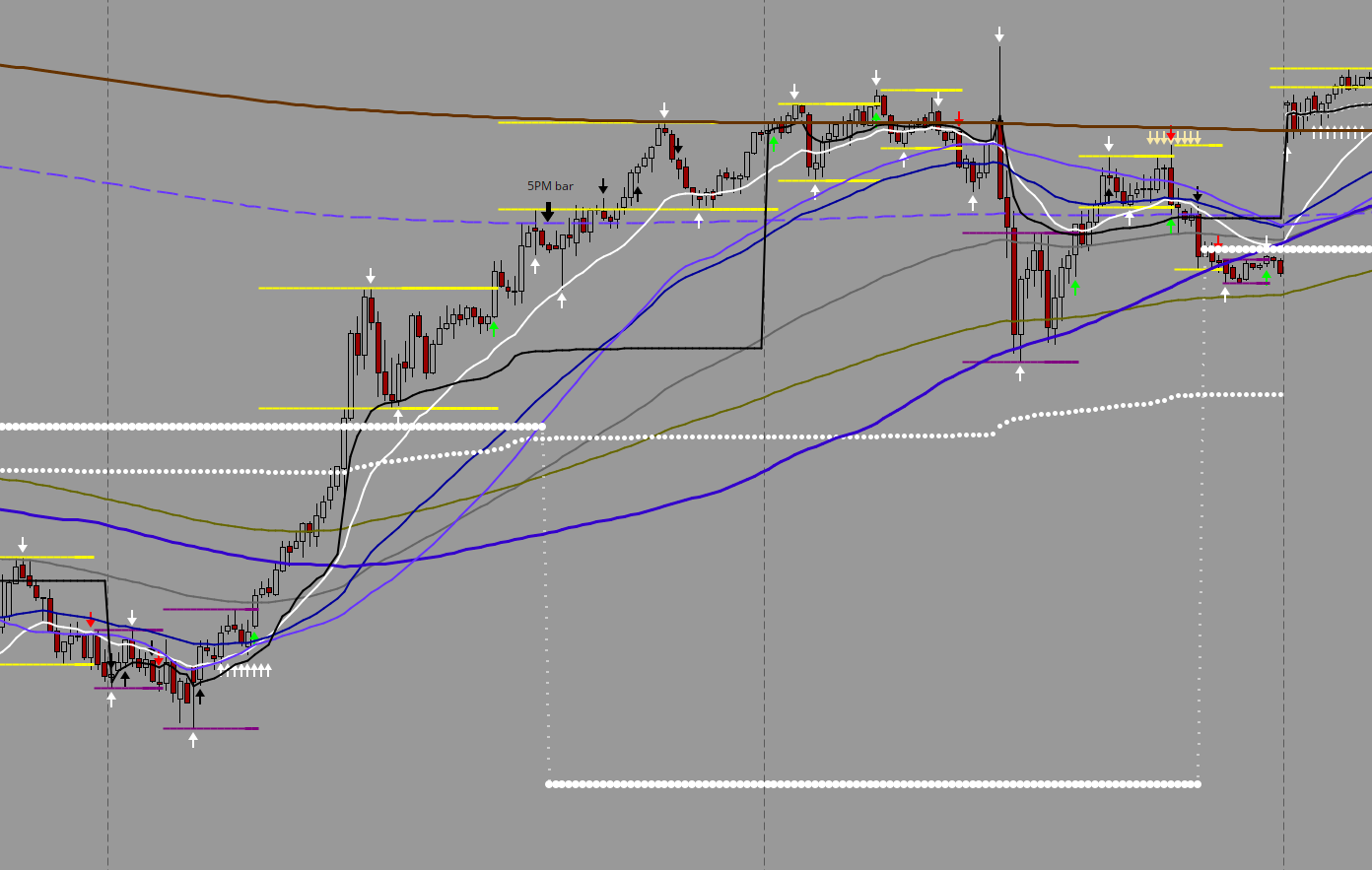
Thanks. I have been working on this all day. I finally have what I want and I am going to use it for the next few before I get into the next phase. It plots as I want it on the 1, 5, 15, 30 and 60M charts, all the same value on all the charts. The problem with TOS is the use of the open instead of the close to define a candle. I have been working and so far looks good. Here is a screenshot. It marks the prior day close at the 5PM candle. May have to change it for instruments that don't trade in ETH.

RLdGQQM.png
 

Join useThinkScript to post your question to a community of 21,000+ developers and traders.

Similar threads

Not the exact question you're looking for?

Start a new thread and receive assistance from our community.

87k+ Posts
1032 Online
Create Post

Similar threads

Similar threads

The Market Trading Game Changer

Join 2,500+ subscribers inside the useThinkScript VIP Membership Club
  • Exclusive indicators
  • Proven strategies & setups
  • Private Discord community
  • ‘Buy The Dip’ signal alerts
  • Exclusive members-only content
  • Add-ons and resources
  • 1 full year of unlimited support

Frequently Asked Questions

What is useThinkScript?

useThinkScript is the #1 community of stock market investors using indicators and other tools to power their trading strategies. Traders of all skill levels use our forums to learn about scripting and indicators, help each other, and discover new ways to gain an edge in the markets.

How do I get started?

We get it. Our forum can be intimidating, if not overwhelming. With thousands of topics, tens of thousands of posts, our community has created an incredibly deep knowledge base for stock traders. No one can ever exhaust every resource provided on our site.

If you are new, or just looking for guidance, here are some helpful links to get you started.

What are the benefits of VIP Membership?
VIP members get exclusive access to these proven and tested premium indicators: Buy the Dip, Advanced Market Moves 2.0, Take Profit, and Volatility Trading Range. In addition, VIP members get access to over 50 VIP-only custom indicators, add-ons, and strategies, private VIP-only forums, private Discord channel to discuss trades and strategies in real-time, customer support, trade alerts, and much more. Learn all about VIP membership here.
How can I access the premium indicators?
To access the premium indicators, which are plug and play ready, sign up for VIP membership here.
Back
Top