Draw Price Levels

tscript

New member
Plus
Key Levels
I am sure there is more than one way to code this. In summary this is about identifying key levels and marking them with price levels in ToS, not necessarily just support and resistance. Daily candles that have an open, or a high, or a low, or a close that correlate with the same price. Mark the key levels that have the most candlesticks, by drawing price levels in ToS, within a specified price range.

Key and Price Levels
On the daily charts. Not to include the current day’s candle.
For any past daily candles that has an open, or a high, or a low, or a close that have the same price, draw a price level for those correlating candles.

For example, looking at a daily chart for 2 months. A daily candle has an open of $100. Two days later another candle hit a high of $100. The following week another daily candle opened for $100.​
Draw a price level for $100.​
Another example. This time looking at a daily chart for 1 year. A candle has a low of $125. Two weeks later another daily candle had a low of $125. The next day another candle opened for $125. Four months later a candle had another high at $125. Three days later another daily candle had a low of $125. Two months later another candle closed for $125. One month later another candle closed for $125.​
Draw a price level for $125.​

If two or more candles have an open, or high, or low, or close that correlates with the same price - draw the price level.

In the Property Settings
Be able to access the property settings to edit name, color, style, width, ect. Have the price levels displayed just as they normally do for the thinkorswim platform.

Be able to set a plus or minus (+/-) price range in relation to the previous day's mark price. The price range ($XX.xx) can be set in the property settings. I would like the price levels to be drawn / displayed only within the price range in each chart.

For example if I am considering several different stocks to trade and the previous day's mark price is $100 and the price range is set to $20 in the properties. Price levels will be drawn / displayed between $80 and $120.​
Looking at a different stock and the previous day's mark price is $182 and the price range is set to $20 in the properties. Price levels will be drawn / displayed between $162 and $202.​
While another stock may have the previous day's mark price at $10 and the price range is still set to $20 in the properties. Price levels will be drawn / displayed between $0 and $30 on the daily chart.​

Of course the current price will change depending on the stock chart being viewed, but the price range will remain the same for all charts.

Be able to set the top X number of price levels that have the most correlating candlesticks to be drawn / displayed in the price range. The key levels with the most candle stick connections are the most valuable.
Some price levels will have more correlating candles than others. I will want to show the top 4 or 10 or 13 within the price range in the charts. The key levels with the most candle stick connections are the most valuable.
 
Last edited:
please edit your post,
remove 'price' and use open,high,low,close
what has to be the same? todays open to a past open? or todays close compared to any past open,high,low,close? i don't know what you want to compare.
get rid of letters to represent prices. its confusing. just use numbers.
if B is a range, then the levels would be at +B/2 and -B/2 from current ... close?
why use a range, if you want to find when an old price and current price are equal?

take a screen shot with windows snipping tool and edit it to show what you want.
 
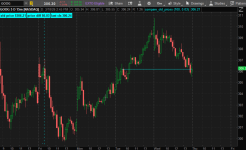
here is something to experiment with. maybe its close to what you want.

pick how many bars back to compare. 100
compare 100 old close prices to the current close.
the first time that the difference of the 2 prices are < diff (0.03) then draw a line.
once a match is found, it stops looking for other matches


Code:
#compare_old_prices

#https://usethinkscript.com/threads/draw-price-levels.22242/
#Draw Price Levels

def na = double.nan;
def bn = barnumber();

def lastbn = HighestAll(If(IsNaN(close), 0, bn));
def lastbar = if (bn == lastbn) then 1 else 0;

#def lastbar = !isnan(close[0]) and isnan(close[-1]);
def last_close = highestall(if lastbar then close else 0);


#define a range of bars
input bars_back = 100;
def bars = (!isnan(close) and isnan(close[-bars_back]));
# addverticalline(bars);

def first = bars and !bars[1];
addverticalline(first, "-", color.cyan);


input diff = 0.03;

# compare the past 100 old close to current close
# the first one that is a close match, will generate a line
# after the first match, it wont look for any other matches
def old_price = if !bars then 0
 else if old_price[1] > 0 then old_price[1]
 else if bars and (absvalue(close - last_close) <= diff) then close
 else old_price[1];


plot z1 = if old_price == 0 then na else old_price;


addlabel(1, "old price $" + round(old_price,2) , color.cyan);
addlabel(1, "price diff $" + diff , color.cyan);
addlabel(1, "last cls " + last_close, color.cyan);


addchartbubble(0, low*0.996,
 old_price + "\n" +
 last_close + "\n" +
 diff
, color.cyan, no);

#
 

Attachments

  • 01a.png
    01a.png
    197.2 KB · Views: 102
here is something to experiment with. maybe its close to what you want.

pick how many bars back to compare. 100
compare 100 old close prices to the current close.
the first time that the difference of the 2 prices are < diff (0.03) then draw a line.
once a match is found, it stops looking for other matches


Code:
#compare_old_prices

#https://usethinkscript.com/threads/draw-price-levels.22242/
#Draw Price Levels

def na = double.nan;
def bn = barnumber();

def lastbn = HighestAll(If(IsNaN(close), 0, bn));
def lastbar = if (bn == lastbn) then 1 else 0;

#def lastbar = !isnan(close[0]) and isnan(close[-1]);
def last_close = highestall(if lastbar then close else 0);


#define a range of bars
input bars_back = 100;
def bars = (!isnan(close) and isnan(close[-bars_back]));
# addverticalline(bars);

def first = bars and !bars[1];
addverticalline(first, "-", color.cyan);


input diff = 0.03;

# compare the past 100 old close to current close
# the first one that is a close match, will generate a line
# after the first match, it wont look for any other matches
def old_price = if !bars then 0
 else if old_price[1] > 0 then old_price[1]
 else if bars and (absvalue(close - last_close) <= diff) then close
 else old_price[1];


plot z1 = if old_price == 0 then na else old_price;


addlabel(1, "old price $" + round(old_price,2) , color.cyan);
addlabel(1, "price diff $" + diff , color.cyan);
addlabel(1, "last cls " + last_close, color.cyan);


addchartbubble(0, low*0.996,
 old_price + "\n" +
 last_close + "\n" +
 diff
, color.cyan, no);

#

Hi halcyonguy,​

I updated the post that is more specific with examples. Hopefully this gives a better picture of what I am looking to do regarding key levels. I like what the idea of setting in properties the number of daily candles to look back. Would you be willing to review the post again and see if your code be adapted.
Thank you.
 
Hi Ben,
I am sure there is more than one way to code this, this is a general description of what I would like to do. In summary this is about identifying key levels and marking them with price levels in ToS, not necessarily just support and resistance. Daily candles that have an open, or a high, or a low, or a close that correlate with the same price. Mark the key levels that have the most candlesticks, by drawing price levels in ToS, within a specified price range.
I've updated the post to be more specific & descriptive. I would welcome more of your thoughts and ideas.
Thanks Ben
 

Join useThinkScript to post your question to a community of 21,000+ developers and traders.

Similar threads

Not the exact question you're looking for?

Start a new thread and receive assistance from our community.

87k+ Posts
953 Online
Create Post

Similar threads

Similar threads

The Market Trading Game Changer

Join 2,500+ subscribers inside the useThinkScript VIP Membership Club
  • Exclusive indicators
  • Proven strategies & setups
  • Private Discord community
  • ‘Buy The Dip’ signal alerts
  • Exclusive members-only content
  • Add-ons and resources
  • 1 full year of unlimited support

Frequently Asked Questions

What is useThinkScript?

useThinkScript is the #1 community of stock market investors using indicators and other tools to power their trading strategies. Traders of all skill levels use our forums to learn about scripting and indicators, help each other, and discover new ways to gain an edge in the markets.

How do I get started?

We get it. Our forum can be intimidating, if not overwhelming. With thousands of topics, tens of thousands of posts, our community has created an incredibly deep knowledge base for stock traders. No one can ever exhaust every resource provided on our site.

If you are new, or just looking for guidance, here are some helpful links to get you started.

What are the benefits of VIP Membership?
VIP members get exclusive access to these proven and tested premium indicators: Buy the Dip, Advanced Market Moves 2.0, Take Profit, and Volatility Trading Range. In addition, VIP members get access to over 50 VIP-only custom indicators, add-ons, and strategies, private VIP-only forums, private Discord channel to discuss trades and strategies in real-time, customer support, trade alerts, and much more. Learn all about VIP membership here.
How can I access the premium indicators?
To access the premium indicators, which are plug and play ready, sign up for VIP membership here.
Back
Top