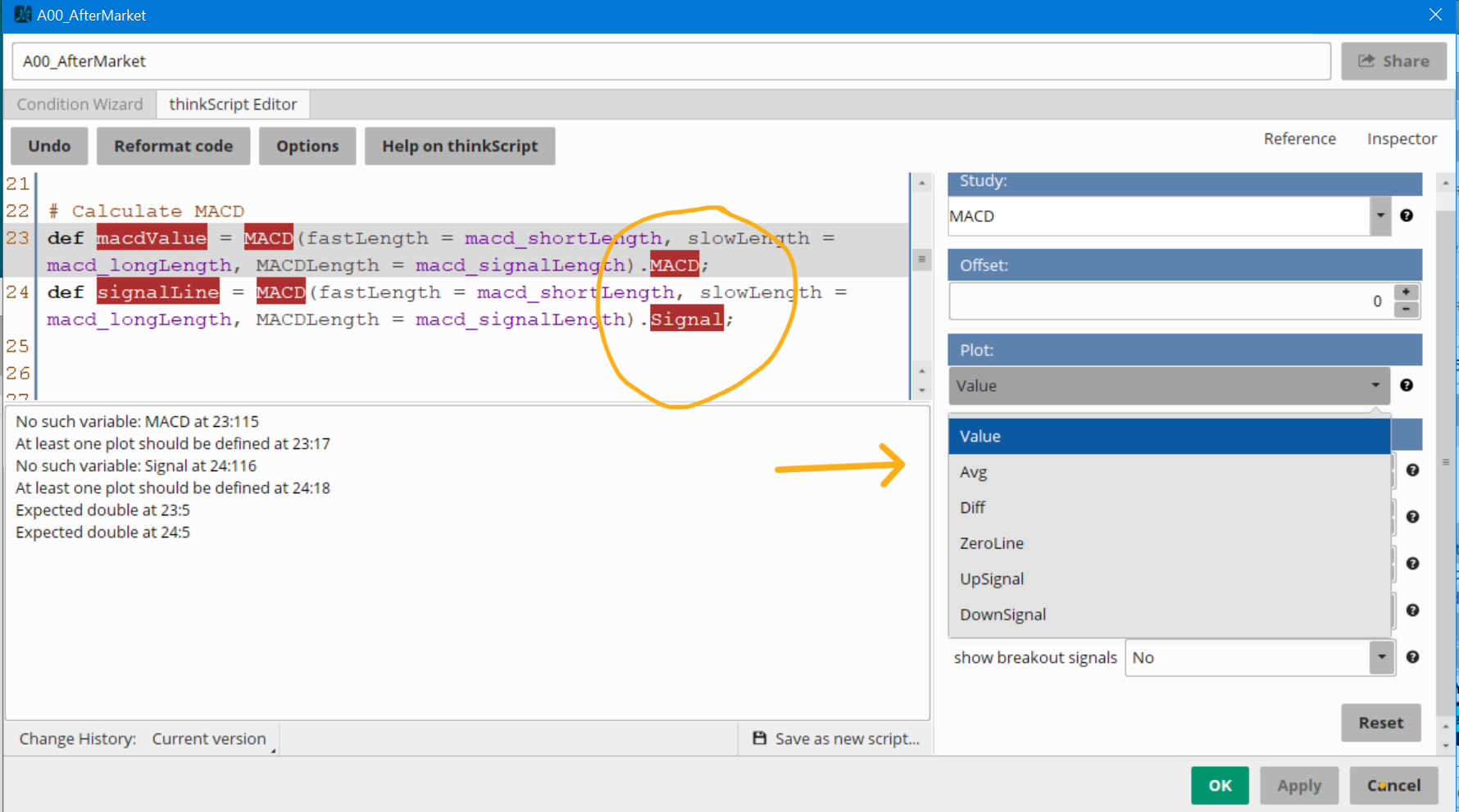
I'm having an issue with a small portion of this script. Can anyone help me with it? Providing a snapshot of my screen as to what i'm being prompted with...
Last edited by a moderator:
Join useThinkScript to post your question to a community of 21,000+ developers and traders.
Here are some suggestions when debugging:
1. ThinkScript shows the LAST error
2. You must scroll up through the errors to see the FIRST error
In this case: there plots that don't exist
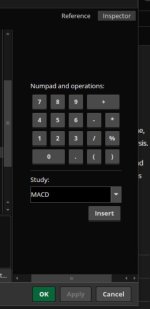
Open Inspector and it will display the real plot names.
Click on the real ones.
FYI:
You must have your cursor on the ToS function that is showing the error
or type in the function being referenced and the inspector will provide all the settings
And then go on to the next error.
Here is the corrected code:
Ruby:
declare upper;

# Inputs
input fastSMA_length = 50; # Fast moving average (50-period)
input slowSMA_length = 200; # Slow moving average (200-period)
input rsi_length = 14; # RSI period (14-period)
input macd_shortLength = 12; # MACD short period (12) -- Updated to 12
input macd_longLength = 26; # MACD long period (26) -- Updated to 26
input macd_signalLength = 9; # MACD signal period (9) -- Updated to 9
input volumeLength = 20; # Volume average period (20)
input overbought = 70; # Overbought level for RSI (70)
input oversold = 30; # Oversold level for RSI (30)
input showSignals = yes; # Toggle to show signals

# Calculate Moving Averages
def fastSMA = Average(close, fastSMA_length); # Fast SMA (50-period)
def slowSMA = Average(close, slowSMA_length); # Slow SMA (200-period)

# Calculate RSI
def rsi = RSI(rsi_length);

# Calculate MACD
def macdValue = MACD(fastLength = macd_shortLength, slowLength = macd_longLength, MACDLength = macd_signalLength).value;
def signalLine = MACD(fastLength = macd_shortLength, slowLength = macd_longLength, MACDLength = macd_signalLength).Avg;

# Calculate Volume
def avgVolume = Average(volume, volumeLength);
def highVolume = volume > avgVolume; # High volume signal

# Bullish and Bearish Engulfing Candlestick Patterns (simplified)
def bullishEngulfing = close > open and close[1] < open[1] and close > open[1] and open < close[1];
def bearishEngulfing = open > close and open[1] < close[1] and open > close[1] and close < open[1];

# Buy Signal Logic
def buySignal = (fastSMA crosses above slowSMA) and (rsi < oversold) and (macdValue crosses above signalLine) and highVolume and bullishEngulfing;

# Sell Signal Logic
def sellSignal = (fastSMA crosses below slowSMA) and (rsi > overbought) and (macdValue crosses below signalLine) and highVolume and bearishEngulfing;

# Plot Buy and Sell Signals
plot BuySignalPlot = if showSignals and buySignal then low - 0.5 else Double.NaN;
BuySignalPlot.SetPaintingStrategy(PaintingStrategy.ARROW_UP);
BuySignalPlot.SetDefaultColor(Color.GREEN);
BuySignalPlot.SetLineWeight(3);

plot SellSignalPlot = if showSignals and sellSignal then high + 0.5 else Double.NaN;
SellSignalPlot.SetPaintingStrategy(PaintingStrategy.ARROW_DOWN);
SellSignalPlot.SetDefaultColor(Color.RED);
SellSignalPlot.SetLineWeight(3);
oops....
You are correct.
I left out a step...
You must have your cursor on the ToS function that is showing the error
or type in the function being referenced and the inspector will provide all the settings
useThinkScript is the #1 community of stock market investors using indicators and other tools to power their trading strategies. Traders of all skill levels use our forums to learn about scripting and indicators, help each other, and discover new ways to gain an edge in the markets.
How do I get started?
We get it. Our forum can be intimidating, if not overwhelming. With thousands of topics, tens of thousands of posts, our community has created an incredibly deep knowledge base for stock traders. No one can ever exhaust every resource provided on our site.
If you are new, or just looking for guidance, here are some helpful links to get you started.
VIP members get exclusive access to these proven and tested premium indicators: Buy the Dip, Advanced Market Moves 2.0, Take Profit, and Volatility Trading Range. In addition, VIP members get access to over 50 VIP-only custom indicators, add-ons, and strategies, private VIP-only forums, private Discord channel to discuss trades and strategies in real-time, customer support, trade alerts, and much more. Learn all about VIP membership here.
How can I access the premium indicators?
To access the premium indicators, which are plug and play ready, sign up for VIP membership here.