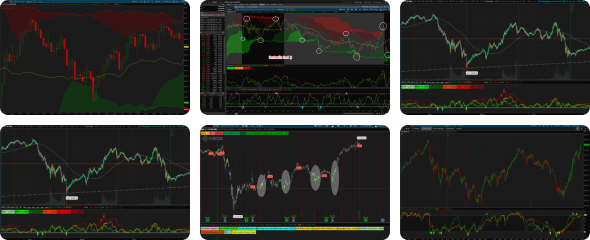
AGAIG HEIKIN ASHI MTF PRICE ACTION LABELS

As most of you may have figured out by now, I am a label lover which gives the bottom-line information I would like to see on a chart without a lot of busy dots, bubbles, lines and arrows to have my lone brain cell figure out. Frequently I see traders with a multitude of charts with information all over them....this is what I call NOISE and hard to follow. Stocks (ETFs) do the same thing day in and day out with movement up/down/sideways. I have found trading to be much easier to just trade a very few charts with good volatility. I quit screening for stocks to trade a few years ago. This indicator has fully adjustable parameters to fit any trading lifestyle. You can go to Added studies and strategies, click on the wheel at the right of the indicator and change most of the parameters including a compact mode to show only the bottom line trading recommendation.
Here is a quick look guide for using the AGAIG Heikin Ashi MTF Price A
Reading the bar, left to right
- Cyan header: the study name.
- HA: candle color and run length. The number in ( ) is how many same-direction candles are active, and STRONG means no opposing wick.
- VOL: volume as a multiple of average. It's green or red for high volume, and yellow when volume is normal or low.
- MOM: chart momentum, and whether it's building or fading.
- 15m and 30m: momentum and volume on each higher timeframe. Forward timeframes can be individually set. Green is bullish, red is bearish, and yellow is mixed.
- Bottom line: the one label to act on.
- ALIGNED BULL/BEAR: everything agrees.
- HV UP/DOWN +n (count): a high-volume run is active. +n is the number of candles after the high-volume candle. It turns orange with MOM WEAK if momentum disagrees.
- Yellow: NO SETUP, or OPEN - WAIT during the opening window.
- Strongest read: ALIGNED with a growing ( ) count.
- Early read: HV UP or HV DOWN on the high-volume candle itself.
- Standing aside: yellow bottom line. A yellow higher-timeframe label is also a warning, since 15m and 30m usually agree.
- htf1: FIFTEEN_MIN, with htf1Name set to "15m" and htf1MomLength at 10.
- htf2: THIRTY_MIN, with htf2Name set to "30m" and htf2MomLength at 6 to 8.
- momLength: 10, for the chart's own MOM label.
- openDelayMinutes: 15 to 30, to quiet the opening bell.
- Scalping: shorter momentum lengths, around 5.
- Swing-style reads: longer lengths, around 14 to 20, and higher timeframes such as 1H and daily.
- Fewer high-volume flags: raise highVolMult.
- More follow-through: set minRun to 2 so the setup waits for a candle after the high-volume one.
- Quick-read view: compactMode = yes shows just the header and bottom line.
- Keep the names in sync: update htf1Name and htf2Name whenever you change a higher timeframe.
- Each higher timeframe must be longer than your chart.
- After-hours data: with after hours on, the average volume includes thin bars, so the first stretch of the regular session can flag high volume more readily.
Indicator Link: http://tos.mx/!jILF6Jsi
Code:
# AGAIG Heikin Ashi MTF Price Action Labels
# Save in TOS as: AGAIG_HeikinAshi_MTF_PriceAction_Labels
#
# Label-only study: Heikin Ashi price action + relative volume + momentum,
# with higher-timeframe (HTF) volume/momentum alignment.
# No plots, no arrows, no lines. Everything is a label.
#
# Number in ( ) = count of consecutive same-direction HA candles currently active.
# Yellow = nothing indicated.

declare upper;

# ---------------------------------------------------------------
# Core parameters
# ---------------------------------------------------------------
input volLength        = 20;    # bars used for average volume
input highVolMult      = 1.5;   # "high volume" = volume >= average * this
input momLength        = 10;    # bars for momentum (% change of HA close)
input contBars         = 5;     # keep flagging a high-volume run this many bars after the HV candle
input minRun           = 1;     # min same-direction HA candles before a setup shows (2 = needs follow-through)
input openDelayMinutes = 0;     # ignore high-volume flags this many minutes after 9:30 ET (0 = off)
input htfVolMult       = 1.0;   # HTF volume threshold (1.0 = at or above average)
input htf1             = AggregationPeriod.FIFTEEN_MIN;
input htf1MomLength    = 10;    # momentum lookback in HTF1 bars
input htf2             = AggregationPeriod.THIRTY_MIN;
input htf2MomLength    = 10;    # momentum lookback in HTF2 bars

# ---------------------------------------------------------------
# Label toggles
# ---------------------------------------------------------------
input showHeader       = yes;
input compactMode      = no;    # yes = header + bottom line only
input showPriceAction  = yes;
input showVolume       = yes;
input showMomentum     = yes;
input showHTF          = yes;
input alertsOn         = no;

# ---------------------------------------------------------------
# Heikin Ashi (calculated here, studies read standard OHLC)
# ---------------------------------------------------------------
def haClose = (open + high + low + close) / 4;
def haOpen  = CompoundValue(1, (haOpen[1] + haClose[1]) / 2, (open + close) / 2);
def haHigh  = Max(high, Max(haOpen, haClose));
def haLow   = Min(low, Min(haOpen, haClose));

def haUp   = haClose > haOpen;
def haDown = haClose < haOpen;

def upStreak   = CompoundValue(1, if haUp   then upStreak[1] + 1   else 0, 0);
def downStreak = CompoundValue(1, if haDown then downStreak[1] + 1 else 0, 0);

# "Strong" HA candle = no wick on the opposing side
def strongUp   = haUp   and haOpen <= haLow;
def strongDown = haDown and haOpen >= haHigh;

# ---------------------------------------------------------------
# Opening window filter (off when openDelayMinutes = 0)
# ---------------------------------------------------------------
def minsSinceOpen = SecondsFromTime(0930) / 60;
def inOpenWindow  = openDelayMinutes > 0 and minsSinceOpen >= 0 and minsSinceOpen < openDelayMinutes;

# ---------------------------------------------------------------
# Volume
# ---------------------------------------------------------------
def avgVol  = Average(volume, volLength);
def rvol    = if avgVol > 0 then volume / avgVol else 0;
def highVol = rvol >= highVolMult;

def hvBull = haUp   and highVol and !inOpenWindow;
def hvBear = haDown and highVol and !inOpenWindow;

def sinceHvBull = CompoundValue(1, if hvBull then 0 else sinceHvBull[1] + 1, 999);
def sinceHvBear = CompoundValue(1, if hvBear then 0 else sinceHvBear[1] + 1, 999);

# High-volume candle sits inside the current same-direction HA run
def bullSetup = haUp   and sinceHvBull < upStreak   and sinceHvBull <= contBars and upStreak   >= minRun and !inOpenWindow;
def bearSetup = haDown and sinceHvBear < downStreak and sinceHvBear <= contBars and downStreak >= minRun and !inOpenWindow;

# ---------------------------------------------------------------
# Momentum (% change of HA close over momLength bars)
# ---------------------------------------------------------------
def mom      = 100 * (haClose / haClose[momLength] - 1);
def momUp    = mom > 0;
def momDown  = mom < 0;
def momBuild = (mom > 0 and mom > mom[1]) or (mom < 0 and mom < mom[1]);

# ---------------------------------------------------------------
# Higher timeframes (offsets are applied directly to the aggregated
# series so they count HTF bars, not chart bars)
# ---------------------------------------------------------------
def h1Mom     = 100 * (close(period = htf1) / close(period = htf1)[htf1MomLength] - 1);
def h1VolNow  = volume(period = htf1) >= Average(volume(period = htf1), volLength) * htfVolMult;
def h1VolPrev = volume(period = htf1)[1] >= Average(volume(period = htf1), volLength) * htfVolMult;
def h1VolOK   = h1VolNow or h1VolPrev;
def h1Bull    = h1Mom > 0 and h1VolOK;
def h1Bear    = h1Mom < 0 and h1VolOK;

def h2Mom     = 100 * (close(period = htf2) / close(period = htf2)[htf2MomLength] - 1);
def h2VolNow  = volume(period = htf2) >= Average(volume(period = htf2), volLength) * htfVolMult;
def h2VolPrev = volume(period = htf2)[1] >= Average(volume(period = htf2), volLength) * htfVolMult;
def h2VolOK   = h2VolNow or h2VolPrev;
def h2Bull    = h2Mom > 0 and h2VolOK;
def h2Bear    = h2Mom < 0 and h2VolOK;

# ---------------------------------------------------------------
# Bottom line states (mutually exclusive, exactly one shows)
# ---------------------------------------------------------------
def alignBull   = bullSetup and momUp   and h1Bull and h2Bull;
def alignBear   = bearSetup and momDown and h1Bear and h2Bear;
def bullPartial = bullSetup and !alignBull;
def bearPartial = bearSetup and !alignBear;
def noSetup     = !bullSetup and !bearSetup and !inOpenWindow;

# ---------------------------------------------------------------
# Labels
# ---------------------------------------------------------------

# Header
AddLabel(showHeader, "HA MTF Price Action", Color.CYAN);

# Price action: HA color, ( ) = candles in the run, STRONG = no opposing wick
AddLabel(showPriceAction and !compactMode and (haUp or haDown),
    "HA " + (if haUp then "UP (" + upStreak + ")" else "DOWN (" + downStreak + ")") +
    (if strongUp or strongDown then " STRONG" else ""),
    if haUp then Color.GREEN else Color.RED);

# Volume: relative volume vs average, colored by candle direction when high
AddLabel(showVolume and !compactMode,
    "VOL " + Round(rvol, 1) + "x",
    if highVol and haUp then Color.GREEN
    else if highVol and haDown then Color.RED
    else if highVol then Color.ORANGE
    else Color.YELLOW);

# Momentum: value, plus whether it is building or fading in its direction
AddLabel(showMomentum and !compactMode,
    "MOM " + (if momUp then "+" else "") + Round(mom, 2) + "% " +
    (if momBuild then "building" else "fading"),
    if momUp and momBuild then Color.GREEN
    else if momUp then Color.DARK_GREEN
    else if momBuild then Color.RED
    else Color.DARK_RED);

# HTF 1: green = bullish momentum + volume, red = bearish + volume, yellow = mixed
AddLabel(showHTF and !compactMode,
    (if htf1 == AggregationPeriod.MIN then "1m"
     else if htf1 == AggregationPeriod.TWO_MIN then "2m"
     else if htf1 == AggregationPeriod.THREE_MIN then "3m"
     else if htf1 == AggregationPeriod.FOUR_MIN then "4m"
     else if htf1 == AggregationPeriod.FIVE_MIN then "5m"
     else if htf1 == AggregationPeriod.TEN_MIN then "10m"
     else if htf1 == AggregationPeriod.FIFTEEN_MIN then "15m"
     else if htf1 == AggregationPeriod.TWENTY_MIN then "20m"
     else if htf1 == AggregationPeriod.THIRTY_MIN then "30m"
     else if htf1 == AggregationPeriod.HOUR then "1H"
     else if htf1 == AggregationPeriod.TWO_HOURS then "2H"
     else if htf1 == AggregationPeriod.FOUR_HOURS then "4H"
     else if htf1 == AggregationPeriod.DAY then "D"
     else if htf1 == AggregationPeriod.WEEK then "W"
     else if htf1 == AggregationPeriod.MONTH then "M"
     else "HTF1") +
    ": MOM" + (if h1Mom > 0 then "+" else "-") + " VOL" + (if h1VolOK then "+" else "-"),
    if h1Bull then Color.GREEN else if h1Bear then Color.RED else Color.YELLOW);

# HTF 2
AddLabel(showHTF and !compactMode,
    (if htf2 == AggregationPeriod.MIN then "1m"
     else if htf2 == AggregationPeriod.TWO_MIN then "2m"
     else if htf2 == AggregationPeriod.THREE_MIN then "3m"
     else if htf2 == AggregationPeriod.FOUR_MIN then "4m"
     else if htf2 == AggregationPeriod.FIVE_MIN then "5m"
     else if htf2 == AggregationPeriod.TEN_MIN then "10m"
     else if htf2 == AggregationPeriod.FIFTEEN_MIN then "15m"
     else if htf2 == AggregationPeriod.TWENTY_MIN then "20m"
     else if htf2 == AggregationPeriod.THIRTY_MIN then "30m"
     else if htf2 == AggregationPeriod.HOUR then "1H"
     else if htf2 == AggregationPeriod.TWO_HOURS then "2H"
     else if htf2 == AggregationPeriod.FOUR_HOURS then "4H"
     else if htf2 == AggregationPeriod.DAY then "D"
     else if htf2 == AggregationPeriod.WEEK then "W"
     else if htf2 == AggregationPeriod.MONTH then "M"
     else "HTF2") +
    ": MOM" + (if h2Mom > 0 then "+" else "-") + " VOL" + (if h2VolOK then "+" else "-"),
    if h2Bull then Color.GREEN else if h2Bear then Color.RED else Color.YELLOW);

# ---- Bottom line ----
# "HV UP" = the high-volume candle itself, "HV UP +2" = 2 candles later, ( ) = candles in the run
AddLabel(alignBull,
    "ALIGNED BULL" + (if sinceHvBull > 0 then " +" + sinceHvBull else "") + " (" + upStreak + ")",
    Color.GREEN);

AddLabel(alignBear,
    "ALIGNED BEAR" + (if sinceHvBear > 0 then " +" + sinceHvBear else "") + " (" + downStreak + ")",
    Color.RED);

AddLabel(bullPartial,
    (if sinceHvBull == 0 then "HV UP" else "HV UP +" + sinceHvBull) +
    " (" + upStreak + ")" + (if momUp then "" else " | MOM WEAK"),
    if momUp then Color.GREEN else Color.ORANGE);

AddLabel(bearPartial,
    (if sinceHvBear == 0 then "HV DOWN" else "HV DOWN +" + sinceHvBear) +
    " (" + downStreak + ")" + (if momDown then "" else " | MOM WEAK"),
    if momDown then Color.RED else Color.ORANGE);

AddLabel(inOpenWindow, "OPEN - WAIT", Color.YELLOW);
AddLabel(noSetup, "NO SETUP", Color.YELLOW);

# ---------------------------------------------------------------
# Optional alerts
# ---------------------------------------------------------------
Alert(alertsOn and alignBull and !alignBull[1], "Aligned bullish", Alert.BAR, Sound.Ding);
Alert(alertsOn and alignBear and !alignBear[1], "Aligned bearish", Alert.BAR, Sound.Ding);
Last edited by a moderator: