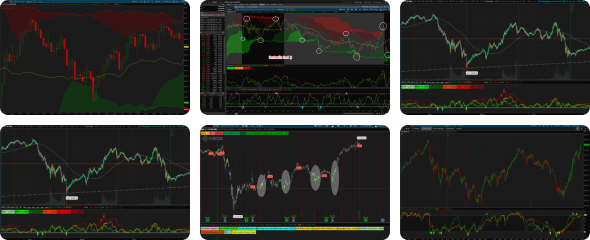

instution sectors canmove in synch, the strongest swimmer isn't always evident. This dindicator let you put your choice ina n array and collor symbol designations in the drop down gears. Simple to see whats hot and whats not.
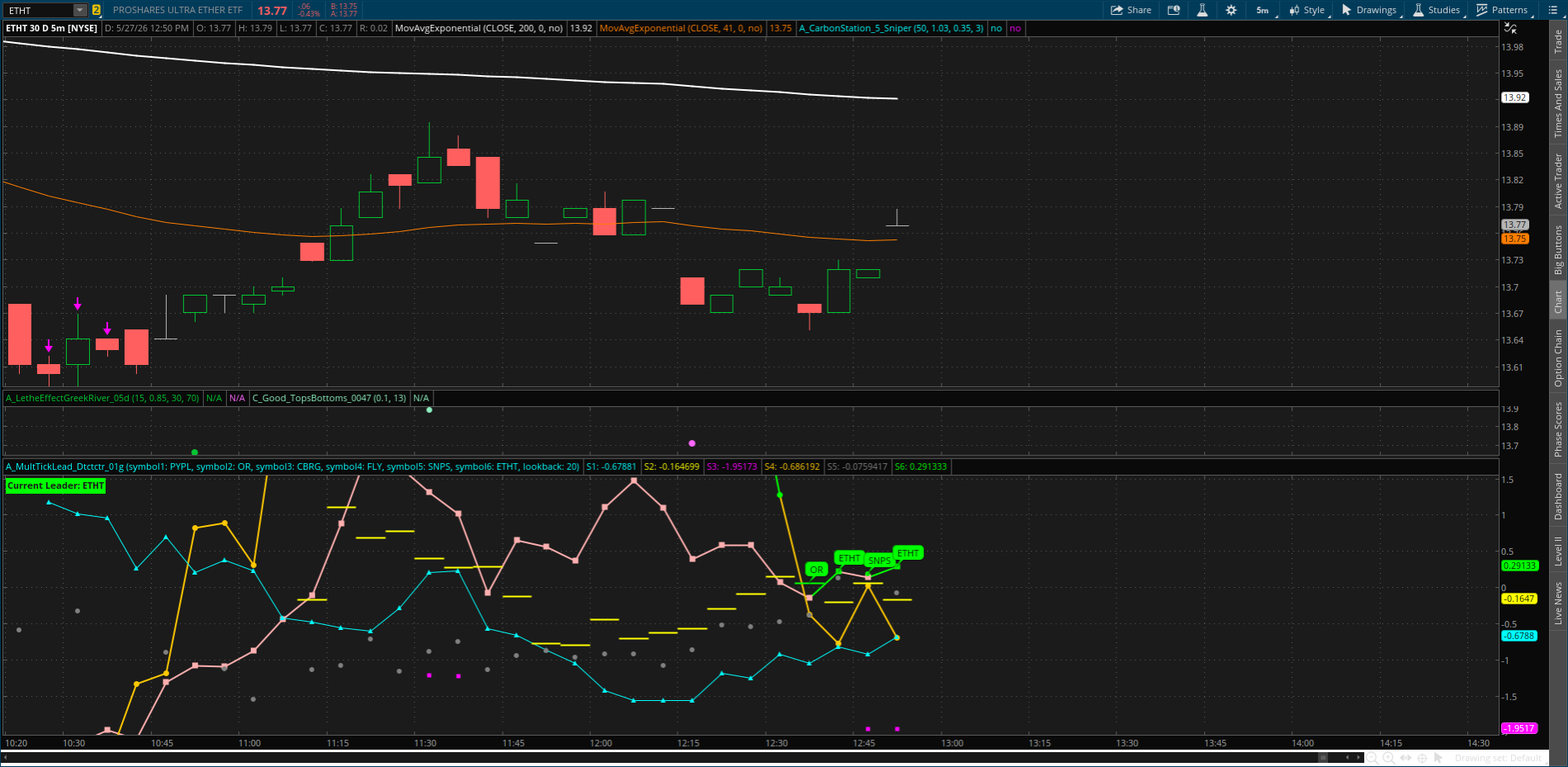
Code:
# AdeodatusTravelLink Series ltd. pre 2/2027 - No buy/sell Signal
# Next-Upgrades: Acceleration + Min Speed Threshold
# Version 7d-(ltd *8b)- ATR-Normalized • Divergence Engine


declare lower;

###############################################################################
# USER INPUTS
###############################################################################
input symbol1 = "PYPL";
input symbol2 = "OR";
input symbol3 = "CBRG";
input symbol4 = "FLY";
input symbol5 = "SNPS";
input symbol6 = "ETHT";

input lookback = 20;

###############################################################################
# PERCENT CHANGE FUNCTION
###############################################################################
script pctChange {
    input price = close;
    input length = 20;
    def base = price[length];
    plot out = if base != 0 then (price - base) / base * 100 else 0;
}

###############################################################################
# PRICE SERIES
###############################################################################
def c1 = close(symbol1);
def c2 = close(symbol2);
def c3 = close(symbol3);
def c4 = close(symbol4);
def c5 = close(symbol5);
def c6 = close(symbol6);

###############################################################################
# PERFORMANCE
###############################################################################
def p1 = pctChange(c1, lookback);
def p2 = pctChange(c2, lookback);
def p3 = pctChange(c3, lookback);
def p4 = pctChange(c4, lookback);
def p5 = pctChange(c5, lookback);
def p6 = pctChange(c6, lookback);

###############################################################################
# FIND STRONGEST
###############################################################################
def max1 = Max(p1,p2);
def max2 = Max(p3,p4);
def max3 = Max(p5,p6);
def strongest = Max(Max(max1,max2),max3);

###############################################################################
# LEADER IDENTIFICATION
###############################################################################
def leader =
     if strongest == p1 then 1
else if strongest == p2 then 2
else if strongest == p3 then 3
else if strongest == p4 then 4
else if strongest == p5 then 5
else 6;

###############################################################################
# LEADER CHANGE
###############################################################################
def leaderChange = leader != leader[1];

###############################################################################
# PLOTS
###############################################################################
plot S1 = p1;
plot S2 = p2;
plot S3 = p3;
plot S4 = p4;
plot S5 = p5;
plot S6 = p6;

S1.SetDefaultColor(Color.CYAN);
S2.SetDefaultColor(Color.YELLOW);
S3.SetDefaultColor(Color.MAGENTA);
S4.SetDefaultColor(Color.ORANGE);
S5.SetDefaultColor(Color.GRAY);
S6.SetDefaultColor(Color.PINK);

###############################################################################
# HIGHLIGHT LEADER
###############################################################################
S1.AssignValueColor(if leader == 1 then Color.GREEN else Color.CYAN);
S2.AssignValueColor(if leader == 2 then Color.GREEN else Color.YELLOW);
S3.AssignValueColor(if leader == 3 then Color.GREEN else Color.MAGENTA);
S4.AssignValueColor(if leader == 4 then Color.GREEN else Color.ORANGE);
S5.AssignValueColor(if leader == 5 then Color.GREEN else Color.GRAY);
S6.AssignValueColor(if leader == 6 then Color.GREEN else Color.PINK);

###############################################################################
# LEADER BUBBLES PER TICKER
###############################################################################
AddChartBubble(leaderChange and leader == 1, p1, symbol1, Color.GREEN, yes);
AddChartBubble(leaderChange and leader == 2, p2, symbol2, Color.GREEN, yes);
AddChartBubble(leaderChange and leader == 3, p3, symbol3, Color.GREEN, yes);
AddChartBubble(leaderChange and leader == 4, p4, symbol4, Color.GREEN, yes);
AddChartBubble(leaderChange and leader == 5, p5, symbol5, Color.GREEN, yes);
AddChartBubble(leaderChange and leader == 6, p6, symbol6, Color.GREEN, yes);

###############################################################################
# LABEL
###############################################################################
AddLabel(yes,
"Current Leader: " +
(if leader == 1 then symbol1
else if leader == 2 then symbol2
else if leader == 3 then symbol3
else if leader == 4 then symbol4
else if leader == 5 then symbol5
else symbol6),
Color.GREEN);