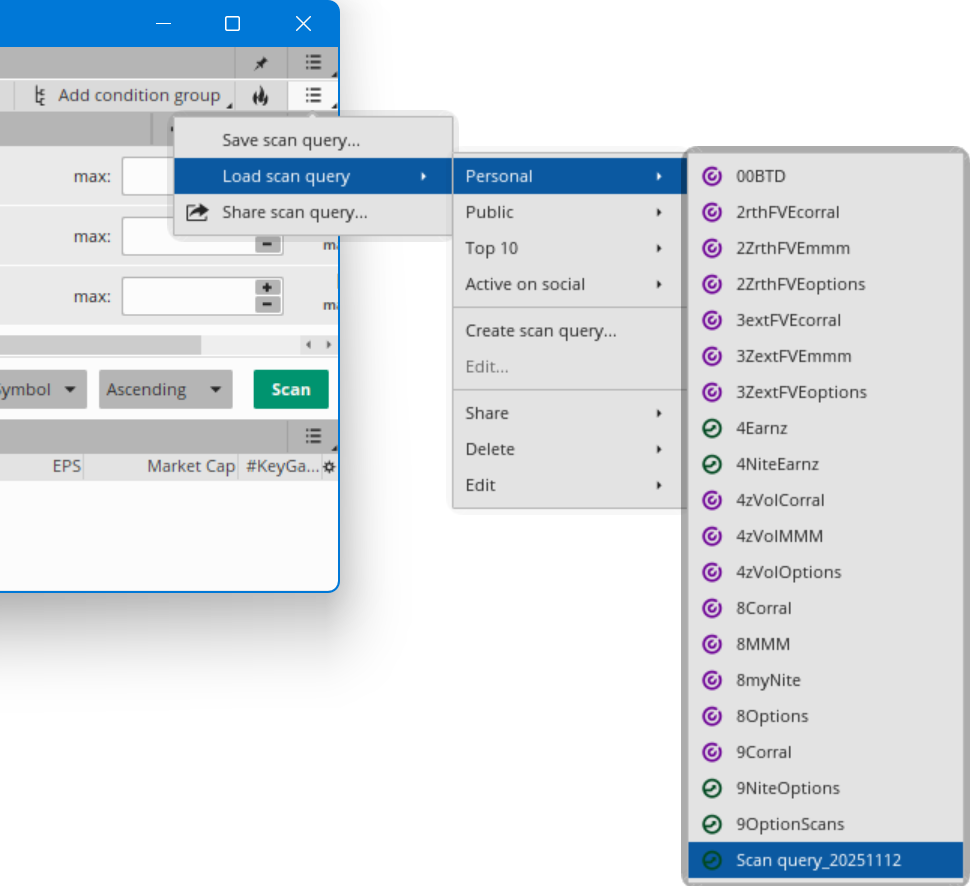
I am fully aware of the process to load a shared item.. However once shared and used, next time i want to load it I cannot find it..
I know that i can save the work space but surely that is not the way to do it.. if you do that you would have a saved work space for every shared items and i just now that is not the correct way to do it..
This particular item is a TOS Scan which works fine when shared but i have no idea how to get it again.. as I probably did not save it as needed..
I looked under the saved Studys, strategys and sets to no avail.. Can someone please enlighten me as to how to save the share of a Scan so that it can be used again.
I am on my way to look under saved scans, but do not expect to find it there unless maybe i should have looked under scans and found the one i shared.. and rename it to something that i would remember.. On my way to check that now.. but will leave this here in case someone can quickly advise me and may help another fellow TOSer in the future.. Thanks
OK I am back from testing if its in the scan folder and found it and renamed it so i think i am ok unless anyone knows a better way to do it..
But for newcomers i would like to add that since the shared scan has some studies you must be in the Live mode to work with it as in the play money mode you are not allowed to build any scans that employ a study... So remember if you are going to build a study in the regular scan or ussing any study you cannot build it unless you are in live money mode.. So keep that in mind..
Mgmt its ok to delete this unless you see it have some tiny value in history for anyone having this same problem.. Sorry to waste anyone's time as had i worked on it a little longer i would have solved it myself.
Unless some one reviewing this and knows a better way than what i did.. and that is from TOS scan mode i went into the load and save scans and fixed my problem.. Thanks
I know that i can save the work space but surely that is not the way to do it.. if you do that you would have a saved work space for every shared items and i just now that is not the correct way to do it..
This particular item is a TOS Scan which works fine when shared but i have no idea how to get it again.. as I probably did not save it as needed..
I looked under the saved Studys, strategys and sets to no avail.. Can someone please enlighten me as to how to save the share of a Scan so that it can be used again.
I am on my way to look under saved scans, but do not expect to find it there unless maybe i should have looked under scans and found the one i shared.. and rename it to something that i would remember.. On my way to check that now.. but will leave this here in case someone can quickly advise me and may help another fellow TOSer in the future.. Thanks
OK I am back from testing if its in the scan folder and found it and renamed it so i think i am ok unless anyone knows a better way to do it..
But for newcomers i would like to add that since the shared scan has some studies you must be in the Live mode to work with it as in the play money mode you are not allowed to build any scans that employ a study... So remember if you are going to build a study in the regular scan or ussing any study you cannot build it unless you are in live money mode.. So keep that in mind..
Mgmt its ok to delete this unless you see it have some tiny value in history for anyone having this same problem.. Sorry to waste anyone's time as had i worked on it a little longer i would have solved it myself.
Unless some one reviewing this and knows a better way than what i did.. and that is from TOS scan mode i went into the load and save scans and fixed my problem.. Thanks
Last edited: